
mirror of https://gitlab.com/cppit/jucipp
You can not select more than 25 topics
Topics must start with a letter or number, can include dashes ('-') and can be up to 35 characters long.
 eidheim
3be4752a64
eidheim
3be4752a64
|
2 years ago | |
|---|---|---|
| docs | 2 years ago | |
| lib | 2 years ago | |
| share | 4 years ago | |
| src | 2 years ago | |
| tests | 2 years ago | |
| .appveyor.yml | 6 years ago | |
| .clang-format | 8 years ago | |
| .gitignore | 9 years ago | |
| .gitlab-ci.yml | 4 years ago | |
| .gitmodules | 8 years ago | |
| .prettierrc | 6 years ago | |
| CMakeLists.txt | 2 years ago | |
| LICENSE | 3 years ago | |
| README.md | 5 years ago | |
| jucipp.yaml | 4 years ago | |
README.md

About
In 2015, juCi++ was one of the first IDEs to utilize libclang for improved C/C++ tooling. The integrated C/C++ support has since then improved steadily, and support for other languages has been made possible through the language server protocol (see setup of tested language servers). The main goals of juCi++ is effective resource usage, stability, and ease of use. Instead of relying on 3rd party addons, features expected in an IDE is instead integrated directly into juCi++.
For effective development, juCi++ is primarily written for Unix/Linux systems. However, Windows users can use juCi++ through POSIX compatibility layers such as MSYS2.
Installation
See installation guide.
Features
- Platform independent
- Fast, responsive and stable (written extensively using C++11/14 features)
- Syntax highlighting for more than 100 different file types
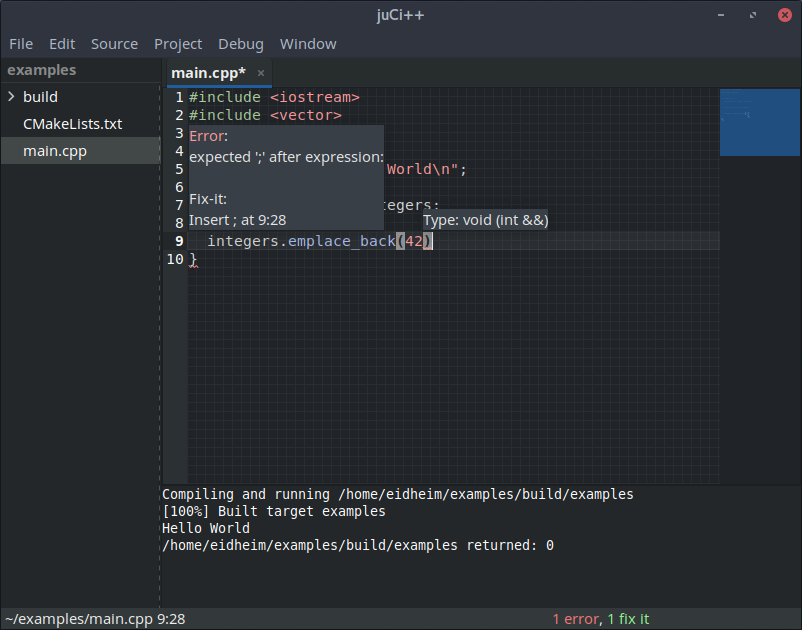
- Warnings and errors on the fly
- Fix-its, as well as C/C++ standard header include suggestions
- Integrated Clang-Tidy checks can be enabled in preferences
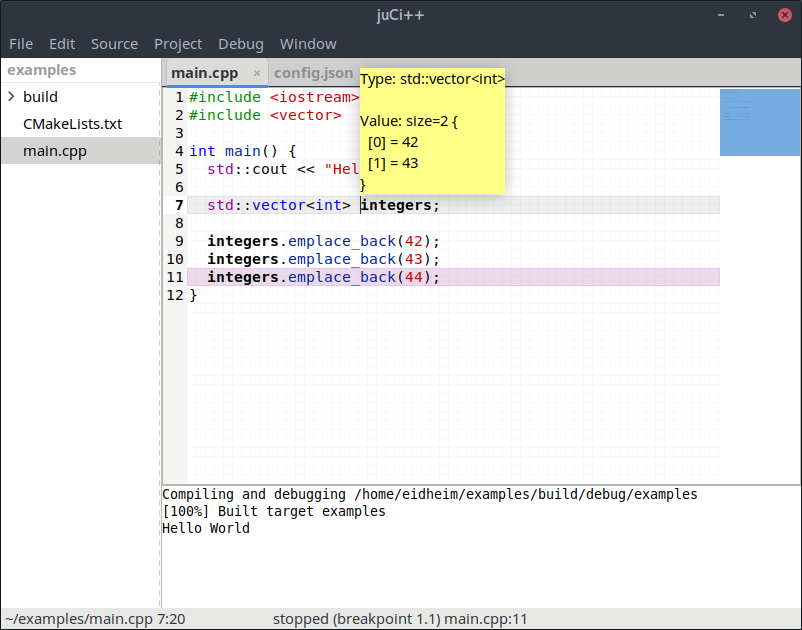
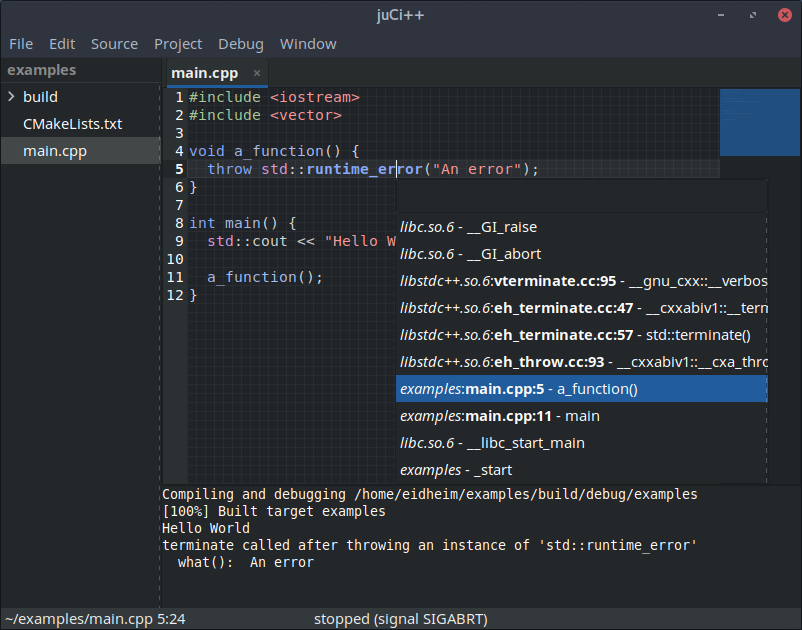
- Debug integration, both local and remote, through lldb
- Supports the following C/C++ build systems directly (other build systems need manually generated
compilation databases):
- CMake
- Meson
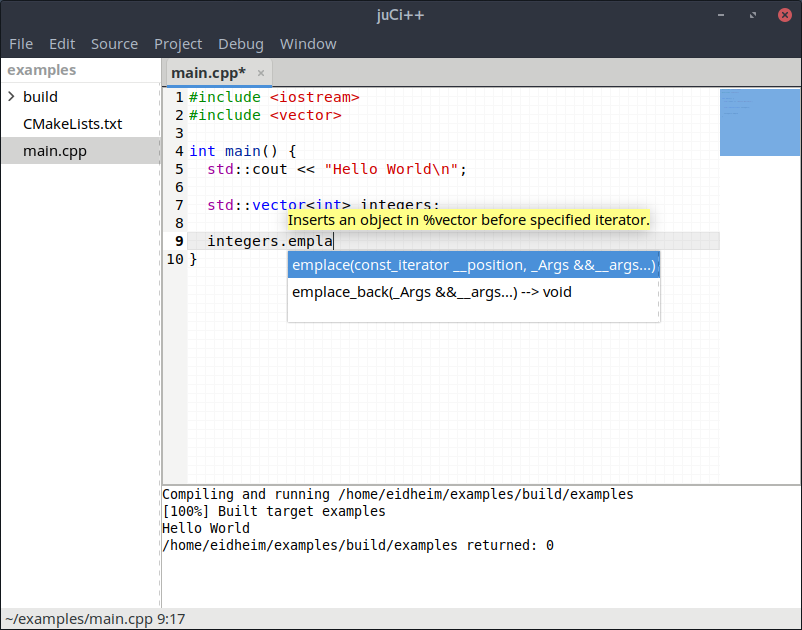
- Fast autocompletion
- Tooltips showing type information and documentation
- Rename refactoring across files
- Highlighting of similar types
- Automated documentation search for C/C++ identifiers
- Go to declaration, implementation, methods and usages
- OpenCL and CUDA files are supported and parsed as C++
- Non-C/C++ files are supported through the Language Server Protocol, which is enabled if an
[language identifier]-language-serverexecutable is found. This executable can be a symbolic link to one of your installed language server binaries.- For additional instructions, see setup of tested language servers
- Non-C/C++ projects are also supported, such as JavaScript, Python, Rust, and Go projects
- Git support through libgit2
- Find symbol through Ctags (Universal Ctags is recommended)
- Spell checking depending on file context
- Run shell commands within juCi++
- ANSI colors are supported. Enable for instance by setting the environment variables
CLICOLOR=1 CLICOLOR_FORCE=1before starting juCi++. Colored diagnostics from clang is enabled through the flag-fcolor-diagnostics, and gcc uses the flag-fdiagnostics-color. - Regex search and replace
- Smart paste, keys and indentation
- Extend/shrink selection
- Multiple cursors
- Snippets can be added in ~/.juci/snippets.json using the TextMate snippet syntax. The language ids used in the regexes can be found here: https://gitlab.gnome.org/GNOME/gtksourceview/tree/master/data/language-specs.
- Auto-indentation through clang-format or Prettier if installed
- Source minimap
- Split view
- Zen mode
- Full UTF-8 support
- Wayland supported with GTK+ 3.20 or newer
See enhancements for planned features.
Screenshots
 |
 |
 |
 |
Custom styling
See custom styling.
Dependencies
- boost-filesystem
- boost-serialization
- gtkmm-3.0
- gtksourceviewmm-3.0
- aspell
- libclang
- lldb
- libgit2
- libclangmm (downloaded directly with git --recursive, no need to install)
- tiny-process-library (downloaded directly with git --recursive, no need to install)
- JSON for Modern C++ (included in repository, no need to install)